HOA SMS, HOA communications, HOA text messaging, Self-managed HOA, HOA board, Communications, Board Tips
Team HOAfy
The Short Answer
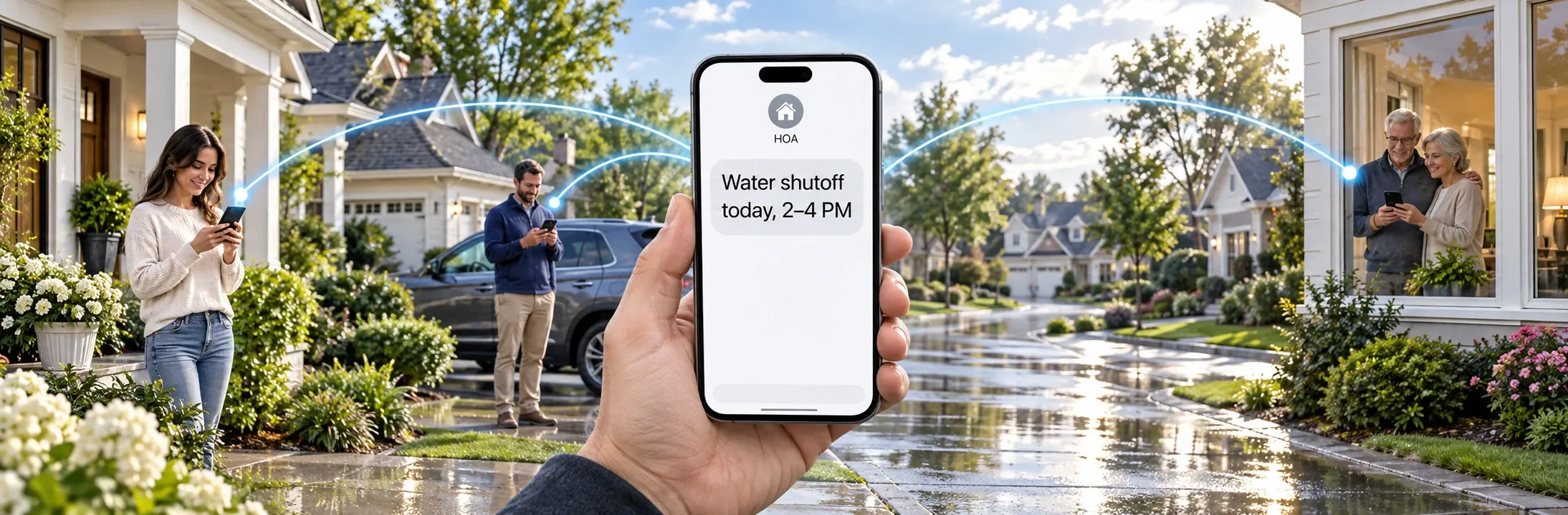
An HOA SMS broadcast is best for short, time-sensitive information that residents can act on immediately: a water shutoff, gate outage, meeting reminder, weather closure, or payment deadline. It should complement email, the homeowner portal, and any notice method required by state law or the governing documents, not silently replace them.
A responsible text broadcast follows six steps:
- Choose a message that belongs in SMS.
- Select and preview the correct audience.
- Include only homeowners who have explicitly opted in.
- Write a short message with the association name, essential fact, and next action.
- Review timing, recipients, and estimated SMS segments before sending.
- Monitor delivery, replies, and opt-outs afterward.
That sounds simple because it should be. The hard part is not pressing Send. It is choosing the right channel, respecting consent, and giving the resident enough context to act.
Important: This article offers operational guidance, not legal advice. Notice requirements vary by state, governing documents, and message type. Confirm required delivery methods and deadlines with qualified counsel.
Watch SMS broadcasting in the demo
When Should an HOA Send a Text Broadcast?
SMS earns attention quickly. That makes it useful when timing matters and expensive when boards use it for everything.
Good SMS use cases share three qualities:
- The information is timely.
- The message can be understood in a few sentences.
- The recipient has a clear reason to care or act now.
Strong SMS Use Cases
| Situation | Why SMS works | Recommended channel mix |
|---|---|---|
| Emergency water shutoff | Residents need to react before service stops. | SMS + email + portal or website update |
| Gate or elevator outage | The disruption is immediate and may affect access. | SMS + email |
| Pool or amenity closure | Plans change on short notice. | SMS + website or calendar update |
| Severe-weather closure | Residents may be away from email. | SMS + email + official emergency sources |
| Meeting reminder | A short reminder can improve attendance. | SMS shortly before the event; formal notice separately |
| Payment due-date reminder | The owner can act before a late fee. | SMS + email or portal link |
| Waste pickup schedule change | The update is simple and time-sensitive. | SMS + website or calendar update |
| Location-specific maintenance | Only one building, street, or group is affected. | Targeted SMS + email |
SMS can also reinforce a longer email. The text delivers the headline; the email or portal page carries the complete explanation, attachments, and record.
Poor SMS Use Cases
Avoid text as the primary channel for:
- Long policy explanations
- Budgets, financial statements, or attachments
- Detailed violation correspondence
- Sensitive account information
- Board debates or discussion threads
- Routine updates with no urgency
- Any notice that must legally be delivered another way
A useful test is: Would the resident understand what happened and what to do without opening a three-paragraph text? If not, send the detail by email or post it in the portal, then use SMS only as a concise alert.
SMS Is Not the Same as Required Notice
A text can be excellent communication without being legally sufficient notice.
Annual meetings, elections, assessment changes, hearings, violations, and other formal actions may require postal mail, certified mail, personal delivery, posting, email consent, or a specific lead time. Those rules can come from state statutes and the association's own governing documents.
Before replacing any established notice method with SMS, answer three questions:
- What delivery method does the applicable rule require?
- Has the owner consented to electronic delivery in the required form?
- Can the association produce a durable record of content, timing, and delivery attempts?
When the answer is uncertain, keep the formal notice process and use SMS as a reminder. “Your annual meeting is tomorrow at 7:00 p.m.” can be valuable even when the official notice was mailed weeks earlier.
Homeowner Consent Comes First
An association should not treat a phone number in its directory as permission to send broadcast texts. U.S. carrier rules require explicit SMS opt-in, and the resident should understand what messages they are agreeing to receive.
In HOAfy, homeowners enable SMS in Communication Preferences and acknowledge the SMS disclosure. Broadcast audiences honor those preferences automatically. A resident who has not opted in is excluded from the SMS delivery, even if the association has a mobile number on file.
Residents must also be able to withdraw consent. Replying STOP opts the number out, while HELP returns support information. HOAfy handles those carrier-required keywords and records the updated preference. Boards should not work around an opt-out by uploading the same number again or sending from a personal phone.
Consent is better for the community as well as for compliance. Residents are less likely to report expected, relevant messages as spam, which protects deliverability for future alerts.
Before the First Broadcast: Sender Registration
Business text messages sent over U.S. local numbers use A2P 10DLC registration. The registration identifies the sending organization and its messaging use case to wireless carriers. It helps legitimate messages reach recipients instead of being filtered as unregistered traffic.
HOAfy registers the association's SMS use case and sending number before SMS broadcasting is enabled. Because carrier review is not instant, a board should complete SMS setup before it needs an urgent alert. Do not wait for a broken water main to discover that the community's texting channel has not been activated.
HOAfy pre-creates default Privacy Policy and Terms & Conditions pages on the association's community website. These pages describe the association's SMS program specifically, including how residents opt in, what kinds of messages they may receive, and how to use STOP or HELP.
How to Send an HOA SMS Broadcast
1. Define the Outcome
Write down what the resident should know or do after reading the text. One broadcast should usually have one outcome:
- Avoid the east gate until noon.
- Attend the meeting at 7:00 p.m.
- Move vehicles before paving begins.
- Pay an assessment before the due date.
If the message asks residents to absorb several unrelated updates, it is probably an email.
2. Choose the Audience
Sending to everyone is easy, but often unnecessary. Select the smallest audience that includes every affected person.
An audience might include:
- All opted-in residents
- Owners in one building or on one street
- Board or committee members
- Residents with a particular amenity tag
- Owners affected by a scheduled project
- Homeowners with an approaching payment deadline
HOAfy audiences are saved queries rather than stale contact lists. Preview the recipient count and sample before sending. The audience is resolved again at send time so a scheduled broadcast includes current residents and respects current communication preferences.
3. Write for a Lock Screen
Put the association name first. State the essential fact, the timing, and the action. Link to a trusted association page when more detail is needed.
Water shutoff
Cedar Ridge HOA: Water will be off today, Aug 29, from 1–3 p.m. for an emergency repair. Updates: cedar-ridge.hoafy.org/alerts
Meeting reminder
Cedar Ridge HOA: Board meeting tonight at 7 p.m. in the clubhouse. Agenda and remote link: cedar-ridge.hoafy.org/meetings
Targeted maintenance
Cedar Ridge HOA: Building C parking closes Tuesday at 8 a.m. for paving. Move vehicles by 7:30 a.m. Details: cedar-ridge.hoafy.org/paving
Avoid unexplained urgency, all caps, excessive punctuation, and link shorteners residents may not recognize. Never put bank details, full account numbers, access codes, or sensitive violation information in a mass text.
4. Check Segment Usage
SMS allowances are measured in segments, not broadcasts. A standard GSM-7 text can fit up to 160 characters in one segment. Longer messages are split into connected segments, and emoji or certain Unicode characters can reduce the number of characters available per segment.
Segments are counted for each recipient. A one-segment message sent to 80 people uses 80 outbound segments; a two-segment message to the same audience uses 160.
Before sending, review:
- Encoding and segments per recipient
- Number of eligible recipients
- Total estimated segment usage
- Remaining monthly allowance
Every HOAfy plan includes a monthly outbound SMS allowance based on community size. See HOAfy pricing for current allowances and how segment limits work.
5. Review and Send or Schedule
Preview the exact message and audience. Check dates, times, links, place names, and the sending time zone. For a scheduled broadcast, confirm that the timing still makes sense if circumstances change.
Use a second reviewer for emergency instructions, payment deadlines, and messages affecting only part of the community. A thirty-second review is cheaper than a correction sent to every resident.
Then send immediately or schedule the broadcast. HOAfy can combine email and SMS in one communication so residents receive the short alert and the complete explanation through the channels they have enabled.
6. Monitor Delivery and Replies
Sending is not the end of the process. Review recipient-level status to see which messages were queued, sent, delivered, or failed. A failed mobile number may need correction in the member directory.
Replies belong in the association's communication history, not on a volunteer's personal phone. Two-way SMS gives authorized board members and managers one place to review resident responses and continue the conversation.
For a major disruption, send a follow-up when the situation changes:
Cedar Ridge HOA: Water service was restored at 2:20 p.m. Run cold water briefly if you notice air in the line. Thank you for your patience.
Closing the loop is part of the alert.
A Pre-Send Checklist
Before selecting Send, confirm:
- SMS is appropriate for this message.
- Any legally required notice is being handled separately.
- The audience includes only affected, opted-in recipients.
- The association name appears at the beginning.
- The message states what happened, when, and what to do.
- Links point to an association-controlled destination.
- No sensitive personal or account information is included.
- Dates, times, locations, and time zones are correct.
- Estimated segments fit within the remaining allowance.
- Someone is prepared to monitor delivery failures and replies.
SMS, Email, or Both?
Use SMS when the update is brief and time-sensitive. Use email when the resident needs detail, context, attachments, or a durable long-form explanation. Use both when speed and completeness matter together.
For life-safety emergencies, do not depend on an HOA broadcast as the only warning system. Follow instructions from public authorities, call emergency services when appropriate, and use every established community channel available.
The goal is not to text more. It is to make each message useful enough that residents continue to trust the next one.
HOAfy brings audience selection, email and SMS composition, scheduling, consent preferences, delivery status, and communication history into one workflow. Explore HOAfy communications or read the communications FAQ for sender registration, opt-out, and allowance details.