HOA Accounting & Payments — Built for Boards, Not Accountants
Automated invoicing, online payments, full GL accounting, and professional reports — all included, no QuickBooks needed.
30-day free trial • No credit card required • From $36/mo
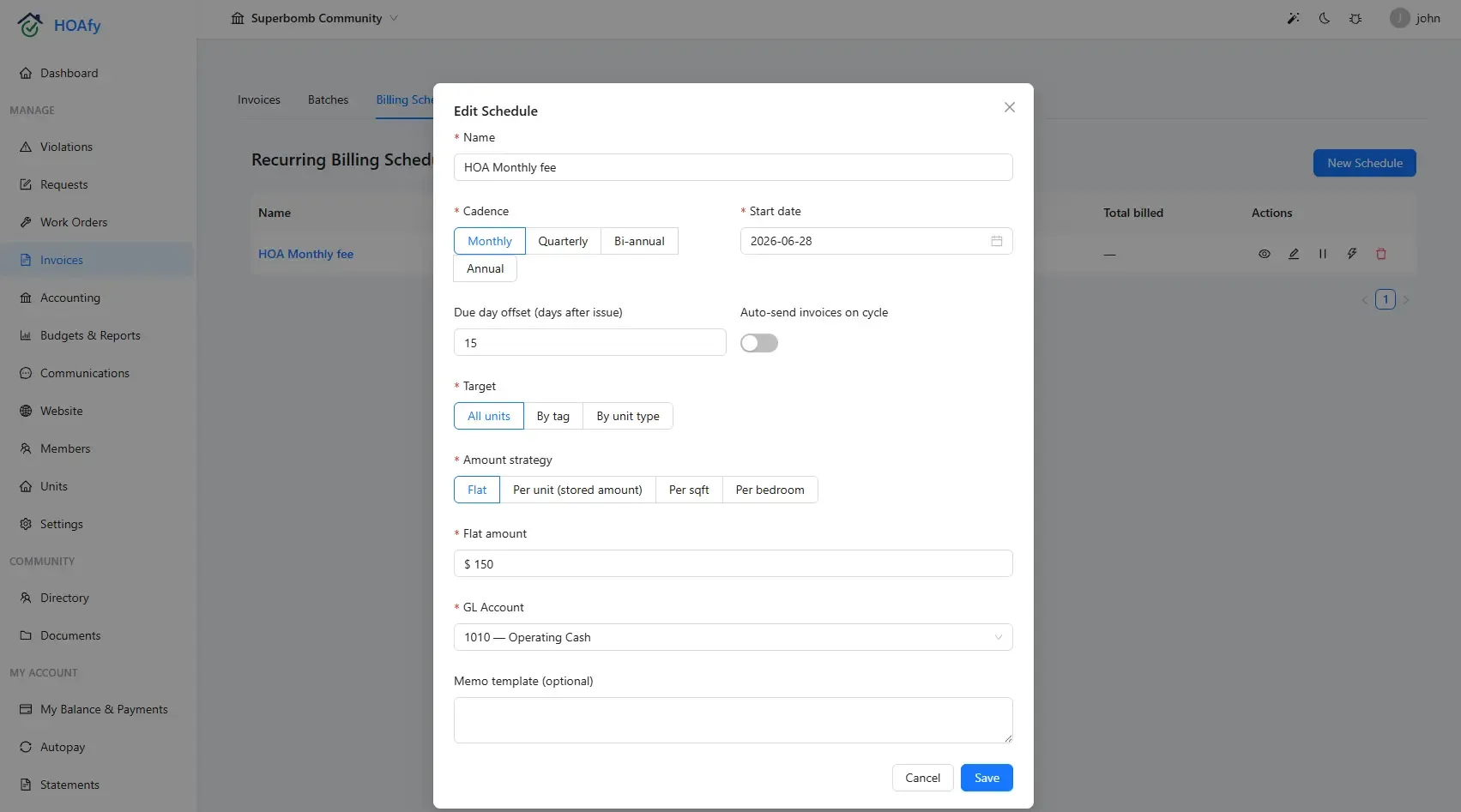
Get Paid Faster with Automated Invoicing
Create recurring dues for the entire community in a few clicks. Homeowners pay online via ACH or card through the association's connected Stripe account, and the funds settle directly to the association. Every payment auto-reconciles to your ledger. Late fees and reminders run on autopilot.
Watch Billing and Assessments in the demo- Recurring & one-time invoices
- Automated past-due reminders
- Online payments (ACH + card via Stripe)
- Autopay enrollment
- Auto late fee calculation
- Auto-reconcile payments to GL
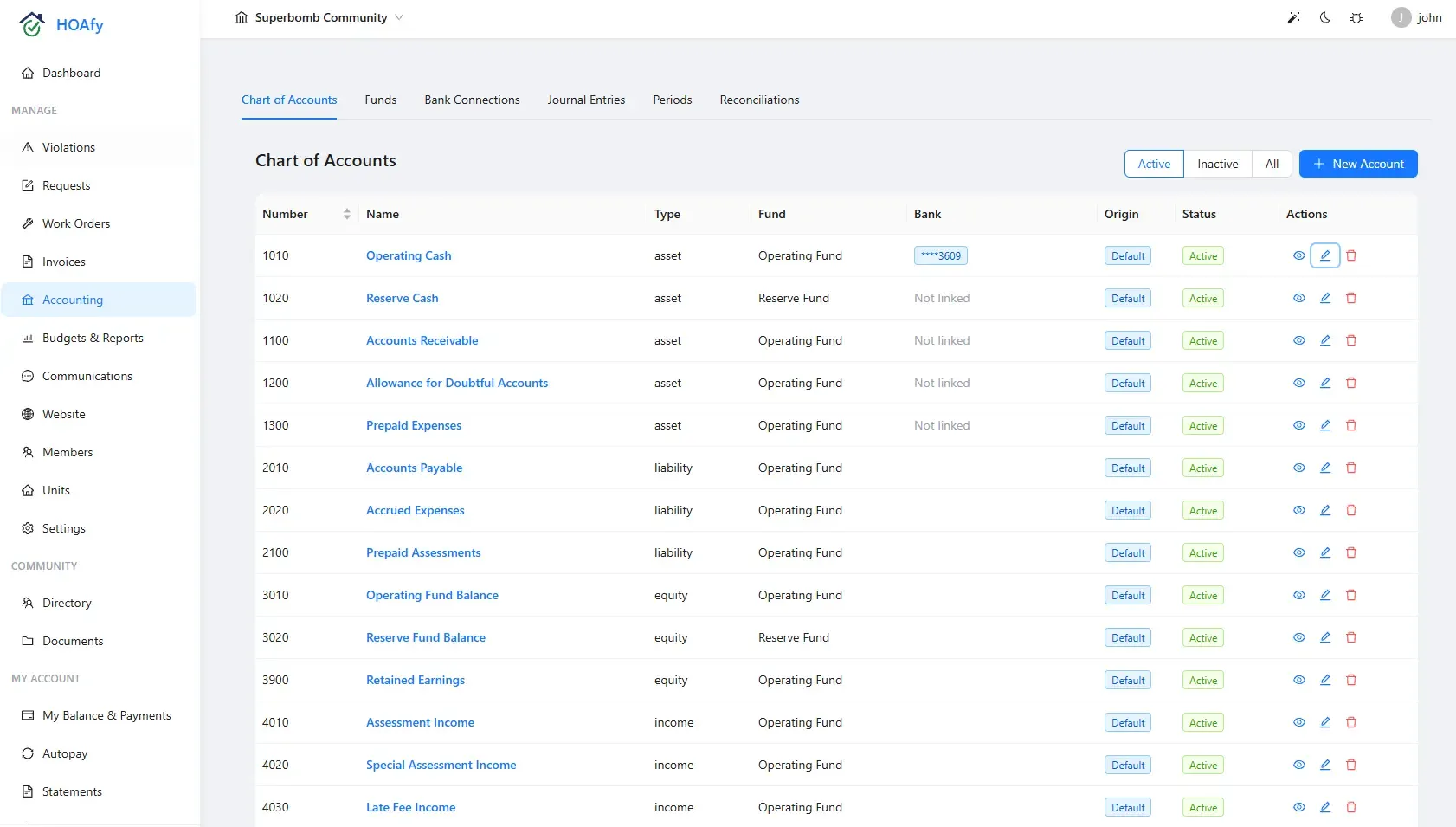
Real Accounting, Real Simple
A full double-entry general ledger designed for HOA treasurers, not CPAs. Cash or accrual basis, multi-fund tracking (operating, reserve, custom), inter-fund transfers, one-click reversals, and locked accounting periods — with a complete audit trail behind every number.
Watch Funds, Banking, Periods, and Reconciliation in the demo- Full double-entry general ledger
- Cash and accrual basis
- Chart of accounts management
- Multi-fund accounting (operating, reserve, custom)
- Inter-fund transfers
- Journal entries with one-click reversal
- Accounting period close, lock & reopen with audit trail
- Transaction coding & categorization
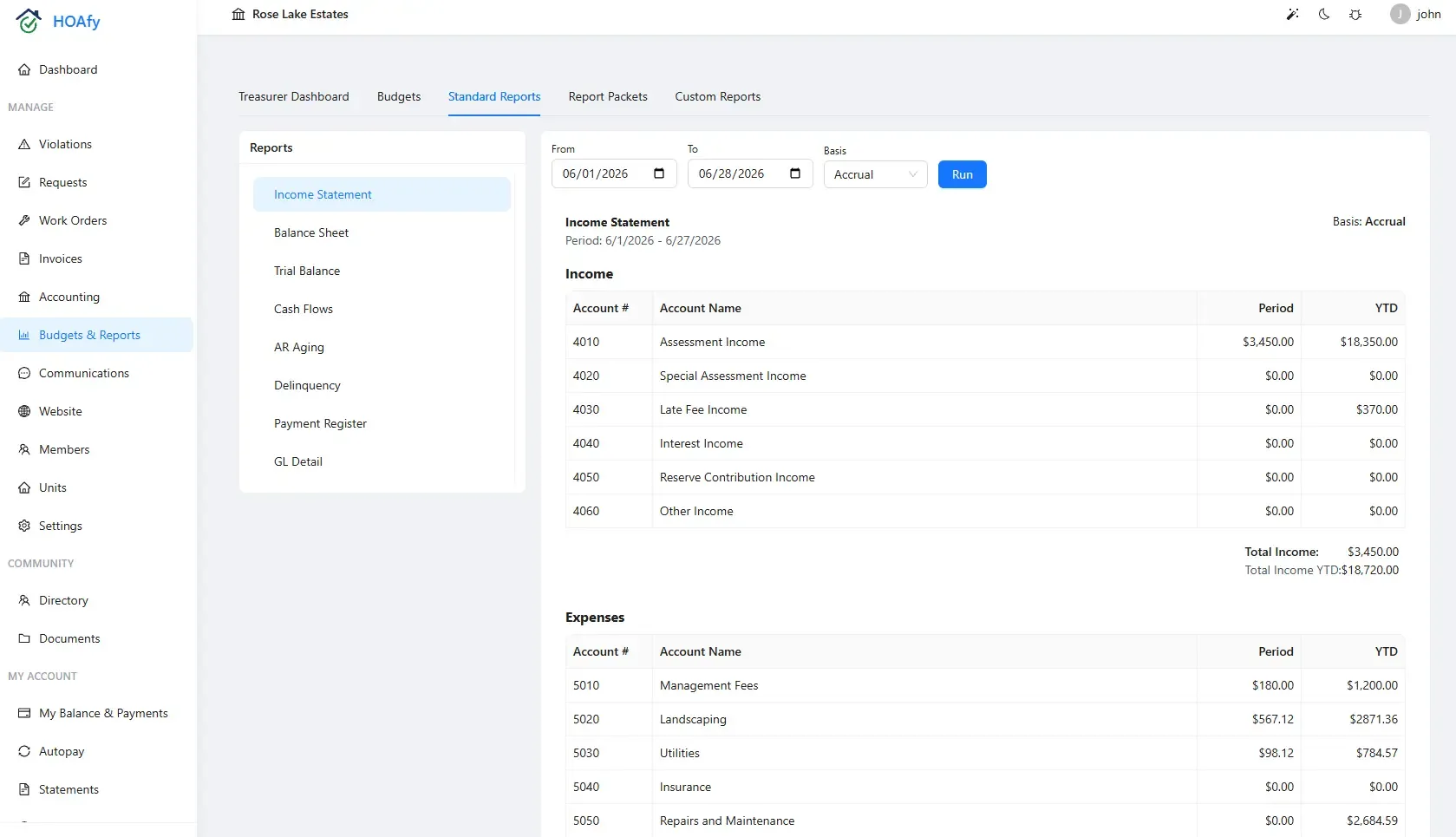
Reports Your Board Will Love
Generate income statements, balance sheets, AR aging, and delinquency reports. Track budget vs. actual variance, save custom report views, and schedule board packets to arrive automatically.
Watch Budgets and Financial Reports in the demo- Budget creation & tracking
- Budget vs. actual variance reporting
- Income statement / P&L
- Balance sheet
- AR aging report
- Delinquency reports
- Saved reports & scheduled board packets
- Export to PDF & CSV
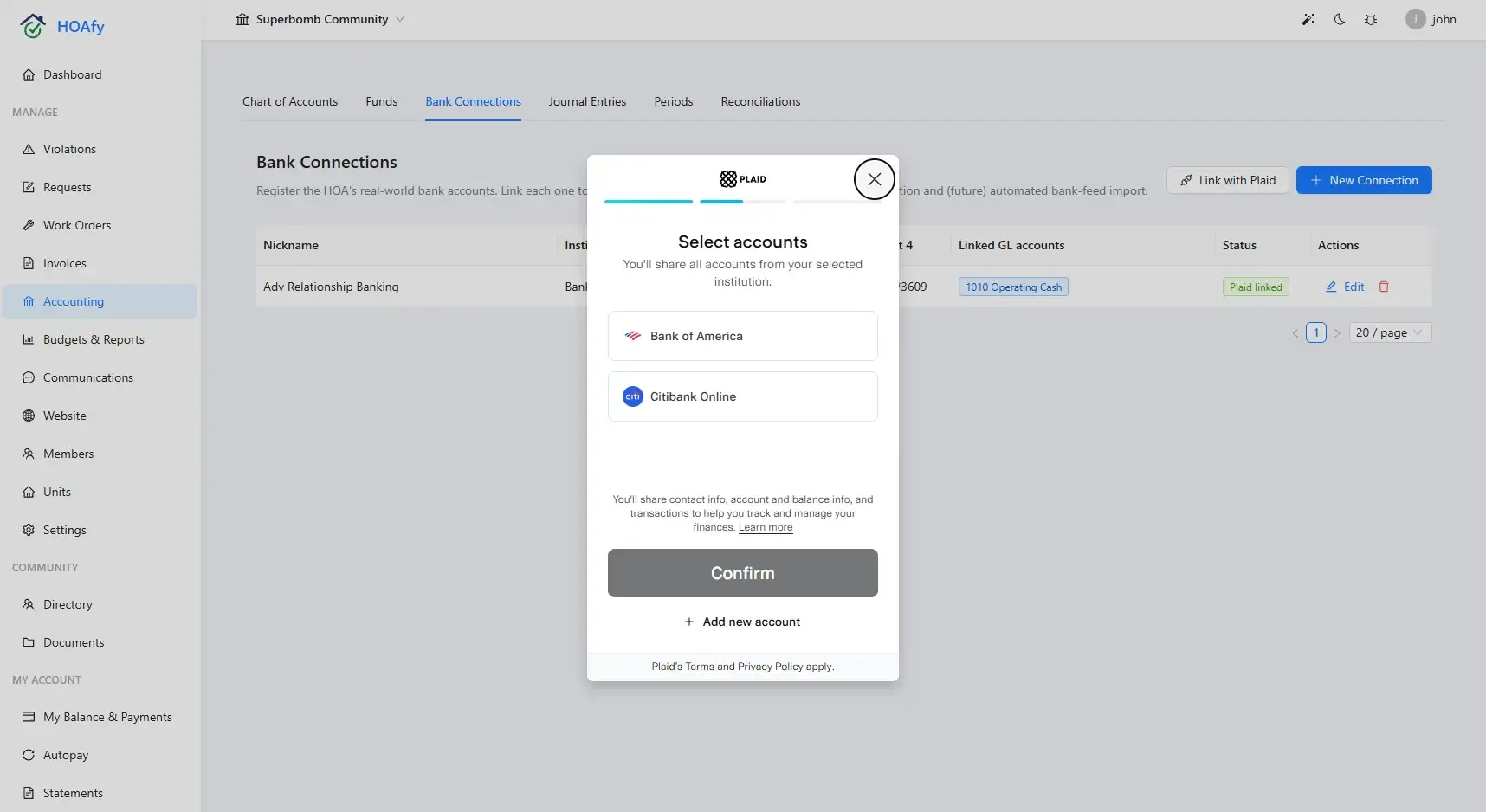
Your Bank, Connected — Your Way
Sync transactions automatically via Plaid, or register any account manually and reconcile from a CSV — your choice. Every transaction gets matched, categorized, or flagged for review before it hits the books, and every reconciliation locks with a signed audit trail.
Watch Funds, Banking, Periods, and Reconciliation in the demo- Automatic transaction import via Plaid
- Manual bank connections for CSV-based reconciliation
- Auto-matching against posted journal entries
- Match, split, categorize, or ignore exceptions
- One-click reconnect when a bank link expires
- Lockable reconciliations with a signed audit trail
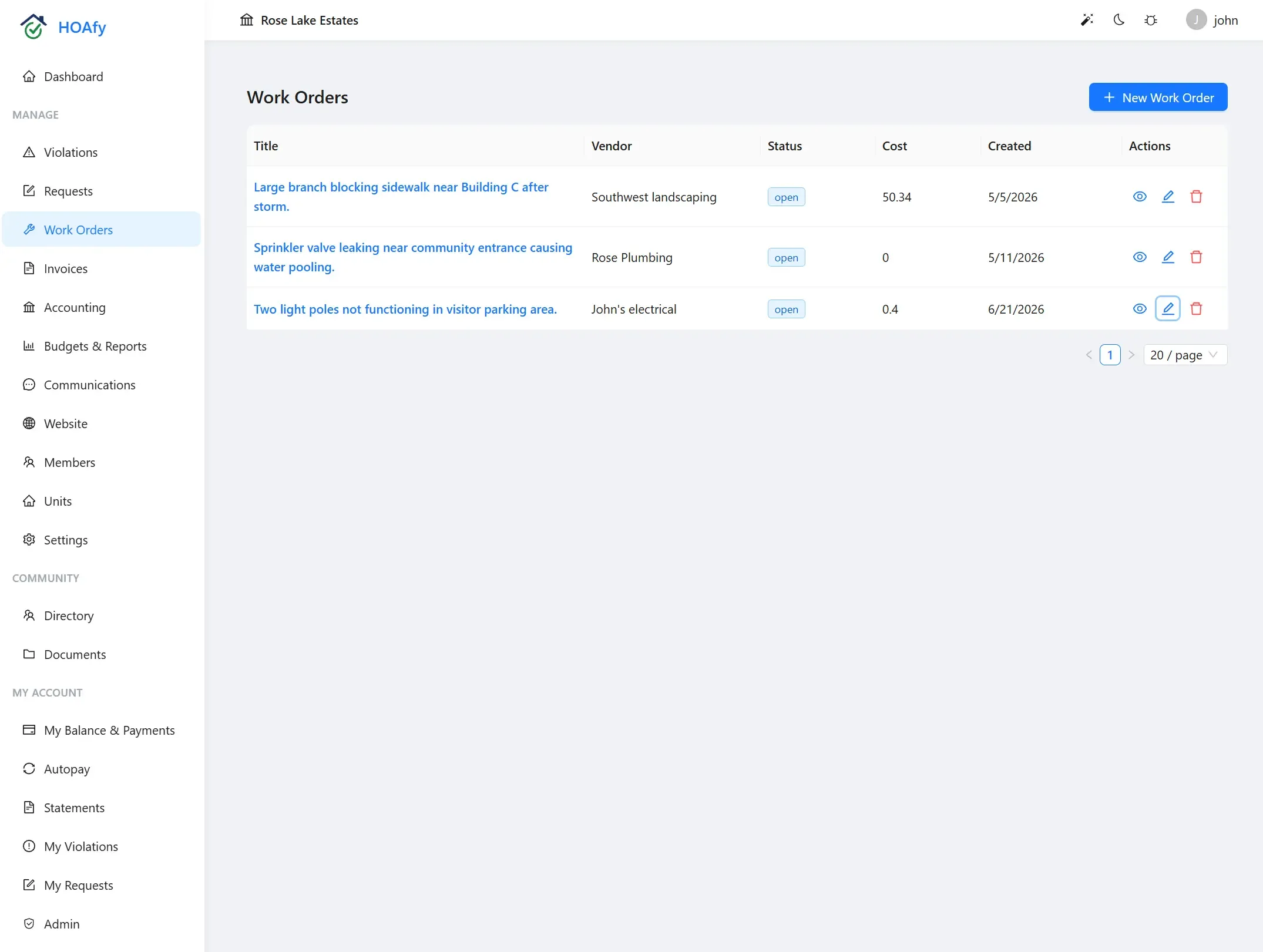
Take Work Orders All the Way to the Ledger
Turn a completed work order into a vendor bill without re-entering the job. Review the amount and accounts, post it to Accounts Payable, and record payment when the bill is settled.
Watch Vendor Management in the demo- Estimated and actual work-order costs
- Post vendor bills from completed work orders
- Expense and Accounts Payable journal entries
- Due dates, memos, and linked accounting records
- Record payment against the selected cash account
- Paid status visible from the work order
Frequently Asked Questions
Do I still need QuickBooks?
No. HOAfy includes full GL accounting built specifically for HOAs. You get a chart of accounts, multi-fund tracking, journal entries, inter-fund transfers, bank reconciliation, and all the reports your board needs — without a separate accounting tool.
Can we keep reserve funds separate from operating funds?
Yes. HOAfy supports true multi-fund accounting — operating, reserve, and custom funds each track their own balances inside the same general ledger, and inter-fund transfers are posted as auditable journal entries.
What if our bank isn't supported by Plaid?
You can still register the account manually and reconcile it by pasting a CSV export from your bank. Every reconciliation — Plaid-connected or manual — locks with a signed audit trail once complete.
Can we close the books for a month so nothing changes after the fact?
Yes. Closing an accounting period locks it against backdated entries. Reopening requires a documented reason and is recorded in the audit trail, so the board always knows what changed and why.
What does online payment processing cost?
Stripe charges the association its standard processing fee: 0.8% per ACH payment or 2.9% + $0.30 per card payment. HOAfy adds no payment fee or markup and never receives or holds the funds. The association can absorb Stripe's fee or pass it through to the homeowner where state law allows.
Can we add automatic late fees?
Yes. Configure flat-rate or percentage-based late fees that apply automatically after a due date. You can also set up compounding interest for ongoing delinquencies.
Can homeowners set up autopay?
Yes. Homeowners can enroll in autopay with ACH or credit/debit card through their portal. Payments process automatically on the due date.
How do I create a budget?
Use the budgets tool to create line-item budgets, then track actuals against your plan throughout the year. Generate variance reports to keep the board informed.
How does a work order become an expense?
After reviewing the completed work and vendor invoice, post a vendor bill directly from the work order. HOAfy debits the selected expense account and credits Accounts Payable. Recording payment later clears the payable against cash without counting the expense twice.
Is my financial data secure?
Yes. All data is encrypted at rest and in transit. Payment processing is handled through Stripe, which is PCI Level 1 compliant — the highest level of payment security.
Ready to run your community on HOAfy?
Everything is included in one plan from $36/mo. Published pricing, no demo required, and 50% off for 3 years with code HOAFY50.
30-day free trial • No credit card required • Cancel anytime