Free HOA messenger, HOA messaging app, HOA group chat, Condo association app, Townhome association app, Community messaging app, Neighborhood communication app, HOA communications, HOA mobile app, Product Updates
Team HOAfy
Free HOA Community Messaging, Coming Soon and Free
People looking for a free HOA messaging app usually want something simpler than another social network and more dependable than a board member's personal group text: a private, association-scoped place where residents can coordinate, ask questions, and find the latest community update.
That is what HOAfy is building. HOAfy Community Messenger is coming soon, and it will be free. Homeowners associations, condo associations, townhome associations, co-ops, property owners associations, and similar residential communities will be able to give their members a community group chat without turning messaging into another recurring association bill.
The planned messenger is designed around admin-curated groups, replies, reactions, mentions, photos and files, useful notification controls, moderation, and reliable recovery when a phone loses its connection. It will help when the pool committee changes its meeting time, Building A needs a water-shutoff update, volunteers are setting up movie night, or residents need one reliable place to find the latest snow-route message.
It is not meant to replace official HOA email, formal requests, ballots, or emergency services. The useful trick is knowing which neighborhood conversation belongs where.
Watch the community messenger in the demo
It Starts With One Folding Table
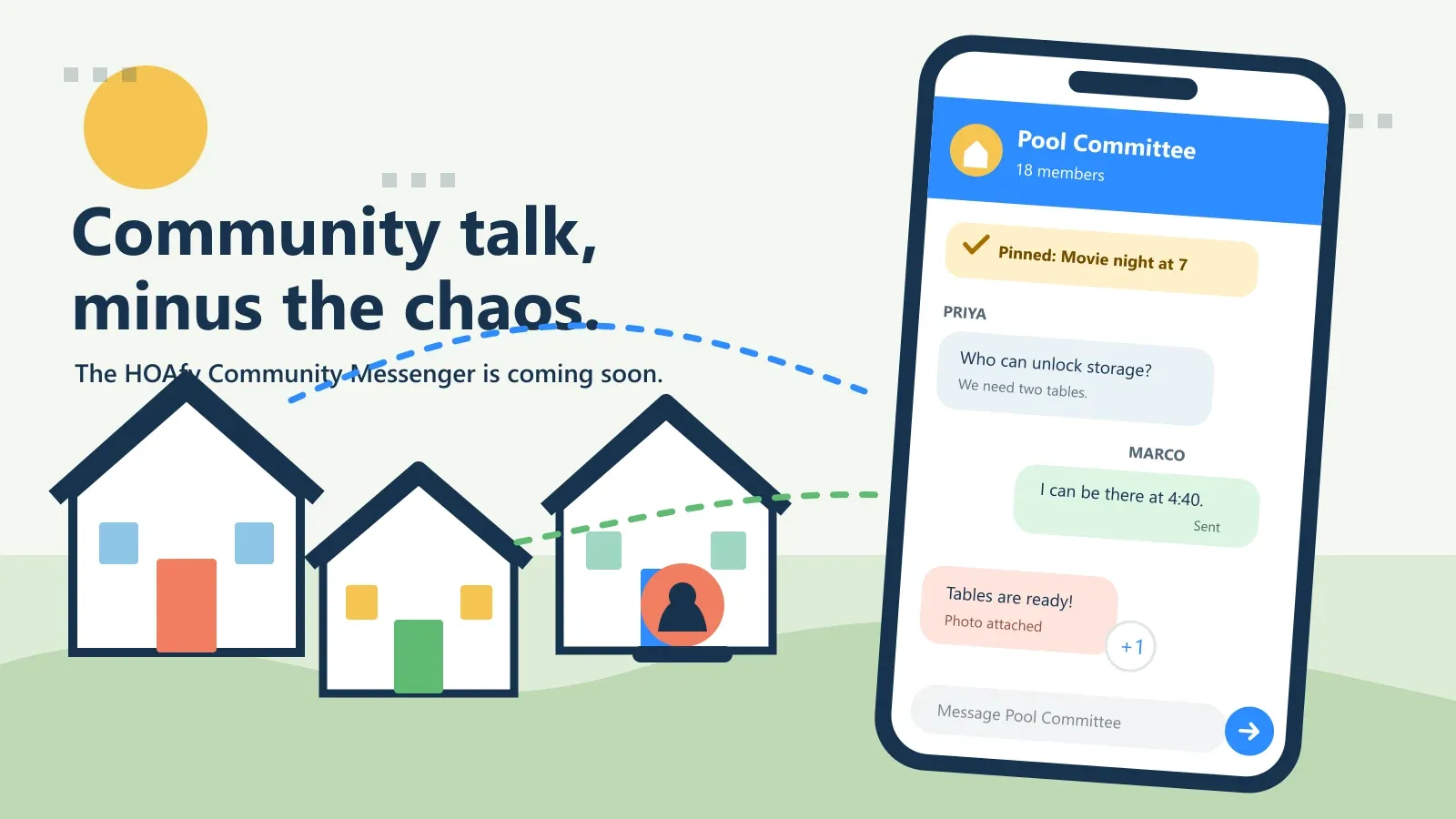
At 4:07 p.m., the fictional Juniper Court social committee discovers that the folding tables for outdoor movie night are locked in the clubhouse storage room.
At 4:09, Priya posts in Events Crew:
Does anyone with clubhouse access arrive before 5? We need two tables and the extension-cord bin.
Marco replies to that message: “I can be there at 4:40.” Tasha reacts with a check mark. Priya pins Marco's answer so nobody has to reread 23 messages while carrying popcorn.
At 4:42, Marco shares a photo of the tables by the lawn. Problem solved. No reply-all email chain. No mystery about which of three neighborhood chats had the current plan.
This is messenger territory: fast, lightweight coordination among the right people.
Note: Juniper Court and its residents are fictional. The scenario is an illustrative composite, not a customer story.
A Free Community Messenger for HOAs, Condos, and Townhomes
“HOA app” is common shorthand, but community associations use many names. HOAfy Community Messenger is being built for:
- Homeowners associations
- Condominium and condo associations
- Townhome and townhouse associations
- Housing cooperatives
- Property owners associations
- Neighborhood associations and similar residential communities
Whether a board calls it an HOA group chat, a condo messaging app, a townhome community app, or a neighborhood communication app, the need is the same: give the right residents a simple place to talk without mixing community business into personal phone numbers, public social media, or an unofficial chat controlled by one neighbor.
Free access means the messenger is not a 30-day preview of community participation. The core messaging feature is intended to remain available without a paid HOAfy subscription, so a community can keep its groups and conversations after the full-platform trial ends.
Ten Conversations That Get Better in a Community Messenger
1. The “Which Entrance Is Open?” Update
A paving crew closes the west entrance for three hours. An authorized poster updates All Residents, pins the detour, and adds a photo of the temporary sign.
People can ask short follow-up questions in context. The board does not have to send a second broadcast because someone typed “west” when they meant “north.”
For a true emergency, residents should still call the appropriate emergency service. Messenger helps distribute community context; it is not a 911 system.
2. The Building-Specific Water Shutoff
A plumber needs to stop water in Building A from 10 a.m. to noon. That belongs in a group scoped to Building A, not in a 400-person community blast.
Audience-backed membership can put the right residents in the right group automatically. The useful outcome is less noise for everyone else and fewer “Does this affect my building?” replies.
3. The Mystery Car, Minus the Amateur Detective Agency
A gray sedan has been parked beside the mailboxes for an hour with its lights on. A resident asks in Neighborhood Watch whether anyone is expecting a guest, contractor, or delivery. Two minutes later, someone replies: “That is the pet sitter for Unit 18. All good.” Concern answered; neighborhood thriller canceled.
Messenger can also help neighbors quickly share factual observations about an unfamiliar person checking doors, a vehicle repeatedly circling the same block, a garage gate stuck open, or common-area lighting that suddenly went dark.
The useful words are factual observations. Do not confront someone, speculate about motives, profile a person based on appearance, publish personal information, or turn uncertainty into an accusation. If there is immediate danger or a possible crime in progress, call emergency services first. A broken gate or light should also become a tracked HOAfy request so repair work has an owner and a status.
4. The Great Trampoline Rehoming
The kids have outgrown a perfectly usable trampoline. Its next destination does not need to be a landfill or a marketplace conversation with 47 strangers.
A resident posts in Community Exchange:
Free trampoline to a Juniper Court neighbor. It is already disassembled, includes the safety net, and needs to be picked up by Sunday.
A photo answers the first five questions. A neighbor replies to claim it. The original poster edits the message to say Taken, and the trampoline begins its second career three streets over.
The same group can rehome patio chairs, moving boxes, garden tools, children's bikes, or the mysterious unopened tile left by a previous owner. Association rules still apply, and pickup details should be shared thoughtfully, but “free to a neighbor” can be much more cheerful than “sent to the dump.”
5. The “Come Over Saturday” Invitation
Not every gathering needs a committee, a motion, and a PDF flyer. A resident can post in an appropriate social group:
Backyard pizza this Saturday from 5 to 8. Kids are welcome. Bring a lawn chair if you have one, and react with a thumbs-up so we know how much dough to make.
Replies handle allergy questions. A pinned update carries the rain plan. Reactions provide a delightfully unofficial headcount, and someone inevitably volunteers a folding table.
For an association-sponsored event, the calendar remains the source of truth for the date, location, accessibility details, and formal updates. Messenger gives the invitation some life and handles the “We are by the blue balloons” part.
6. The Pool Committee's Ten-Minute Decision
The pool committee is choosing between a 6:30 and 7:00 p.m. walk-through. A quote reply keeps each answer attached to the question. A direct mention gets the facilities chair's attention. A pinned message preserves the final time.
If the association needs a formal vote with eligibility, quorum, and an auditable result, that belongs in HOAfy Voting. Messenger is for coordination, not for casually turning reactions into governance.
7. The Storm Cleanup Photo Trail
After a storm, volunteers can share photos of branches blocking common paths, mark which areas they checked, and point the maintenance team toward the next location.
A homeowner's actual maintenance request should still become a tracked request or work order. The group conversation is useful for shared awareness; the formal record is useful for ownership, status, and follow-through.
8. The New-Neighbor Shortcut
An association-wide group can welcome new residents and point them to the calendar, documents, and directory. A friendly “Farmers market is Saturday” message feels more human than a folder of PDFs.
The group remains association-scoped and admin-curated. In the first version, members do not create arbitrary groups or start private direct messages, which keeps the experience focused on community purposes.
9. The Event-Day Supply Check
Movie night has chairs but no tape. The cleanup crew has bags but needs gloves. The ice-cream truck is at the wrong gate.
These tiny updates expire in value quickly, which makes a messenger ideal. Replies and reactions handle the coordination without creating six separate threads titled “Re: Re: Tonight.”
10. The “I Was Offline, Did My Message Send?” Moment
Someone posts a photo from an underground garage and loses signal. A good messenger should not make them guess.
HOAfy's planned experience shows visible states such as Queued, Sending, and Failed. When the connection returns, the app retries with the same message identifier so a nervous tap does not create duplicate posts. Recent authorized conversations remain available for offline reading, and the app catches up after reconnecting.
That last example is not flashy. It is also exactly the sort of detail that makes mobile communication trustworthy.
The Right Tool for the Conversation
Putting every interaction into “chat” creates a different kind of mess. HOAfy keeps community conversation separate from official association work.
| What is happening? | Best home |
|---|---|
| “Can someone unlock the clubhouse storage room?” | Community Messenger |
| “The west entrance is closed until noon.” | Messenger update, plus an official announcement when appropriate |
| “Does anyone recognize this car by the mailboxes?” | Messenger for factual awareness; emergency services for immediate danger |
| “Free trampoline, pickup by Sunday.” | A community exchange group, subject to association rules |
| “Backyard pizza on Saturday. Who is in?” | An appropriate social group; Calendar for official association events |
| “My roof is leaking near the common wall.” | A tracked homeowner request |
| “Please provide the association's insurance certificate.” | The official association mailbox |
| “Approve the annual budget.” | A formal board or voting workflow |
| “What time does movie night begin?” | Calendar for the source of truth; Messenger for day-of coordination |
| “Here is a legal notice.” | Official delivery and association records, never chat alone |
Messages is the community conversation space. Manage > Mailbox is official correspondence with assignments, workflow status, delivery history, and an audit trail. A chat message is never silently promoted into an official email or legal notice.
Familiar Features, HOA-Specific Boundaries
The planned conversation experience includes the features people expect from a modern messenger:
- Text, images, files, and system updates
- Quote replies without deeply nested threads
- Reactions and individual mentions
- Unread and mention filters
- Pinned messages
- Typing indicators where group size makes them useful
- Message search
- Edit or delete windows with policy and audit controls
But the boundaries are designed for an association, not a random social network:
- Groups can be open to all association members or restricted to selected people.
- Administrators create and manage groups in the first release.
- Role-based groups can be mandatory while someone holds that role.
- Removing someone from a restricted group takes effect for future messages.
- Historical authorship remains understandable when a member leaves the association.
Notifications With an Indoor Voice
Nobody needs twelve lock-screen alerts because a committee discovered the thumbs-up reaction.
HOAfy's plans include per-group mute options, direct-mention overrides, global quiet hours, and bundled notifications. Message previews are private by default, so a lock screen can say New message in HOAfy without displaying a neighbor's name or the message body.
Large association-wide groups may default to mentions-only notifications. The goal is not maximum buzzing. It is a better chance that the notification you do receive matters.
Safety Is a Feature, Not Fine Print
Community chat needs more than a send button. The planned safeguards include:
- Acceptable-use acknowledgement before a member's first post
- Reporting without exposing the reporter
- Personal hide or block controls
- Moderator queues and audited administrative actions
- Rate limits for messages, attachments, reactions, mentions, and
@all - Malware scanning and private attachment storage
- Configurable retention and export for authorized administrators
Automated keyword flags can invite review, but they should not silently erase a conversation. Human context still matters.
Why Build a Free HOA Messenger Into HOAfy?
Neighborhood conversations already happen somewhere. The problem is that “somewhere” may be a board member's personal phone, an old social-media group, a text thread that excludes new residents, or a chat whose administrator moved away two years ago.
An HOA-aware messenger can use the association membership and permissions HOAfy already understands. It can update open groups when residents join or leave, create restricted committee spaces, respect community-level notification rules, and keep every conversation inside the correct association boundary.
That connection is the value. The app knows this is Pool Committee at Juniper Court, not merely “Chat 1847.”
Making the core messenger free also keeps access aligned with the community itself. A resident should not be left out because the association cannot justify one more communication subscription, and a new board should not inherit a group chat that disappears unless someone finds room for it in the budget.
FAQ: HOA Community Messaging
Is HOAfy Community Messenger really free?
That is the plan. When it launches, the core Community Messenger will remain available to eligible residential community associations without a paid HOAfy subscription. It is not a limited-time messaging trial. Other HOAfy management features may require a subscription.
Is this only for traditional homeowners associations?
No. The free community messenger is also intended for condo associations, townhome and townhouse associations, co-ops, property owners associations, neighborhood associations, and similar residential communities.
Is this a free HOA app or only free group messaging?
Community Messenger will be a free feature inside HOAfy. That does not mean every HOAfy management feature is free; the complete platform includes additional tools that may require a paid subscription after the trial.
Can residents create their own groups?
Not in the planned first version. Groups are created and curated by authorized association administrators so membership and purpose stay clear.
Will HOAfy Community Messenger include direct messages?
One-to-one direct messages are outside the first release. The initial focus is association-scoped groups.
Can Messenger replace official HOA notices?
No. Messenger can reinforce an announcement, but legal notices, official correspondence, formal votes, and tracked requests belong in their owning workflows.
What happens when the internet connection drops?
The planned mobile app keeps a local outbox, displays delivery state, retries safely, and synchronizes missed changes when it reconnects.
Can members mute a busy group?
Yes. The plans include timed mute options, mention overrides, and personal quiet hours.
Coming Soon: Free Community Messaging, Less Reply-All
The value of a community messenger is not that it gives neighbors another place to type. It gives the right group a quick way to settle the small questions that otherwise turn into missed calls, duplicate work, and heroic reply-all chains.
If your board has been searching for a free HOA communication app, a condo association messenger, or a townhome community group chat, HOAfy Community Messenger is being built for that job. It is coming soon, and the core messenger will be free.
Until then, learn how HOAfy separates community conversation from official association communications and follow the blog for product updates.