HOA management app, HOA mobile app, HOA software, HOA board app, Self-managed HOA, Homeowners, Product Updates
Team HOAfy
Can You Manage an HOA From a Mobile App?
Yes. A well-designed HOA management app can help board members, community managers, and homeowners complete many everyday association tasks from a phone. Those tasks can include checking dues, making payments, submitting requests, documenting violations, sharing announcements, reviewing work, finding governing documents, and tracking community events.
The right app should do more than make a desktop HOA portal fit on a small screen. It should show each person the actions they can take, protect financial and resident information with role-based permissions, and make short tasks easy to finish while away from a computer.
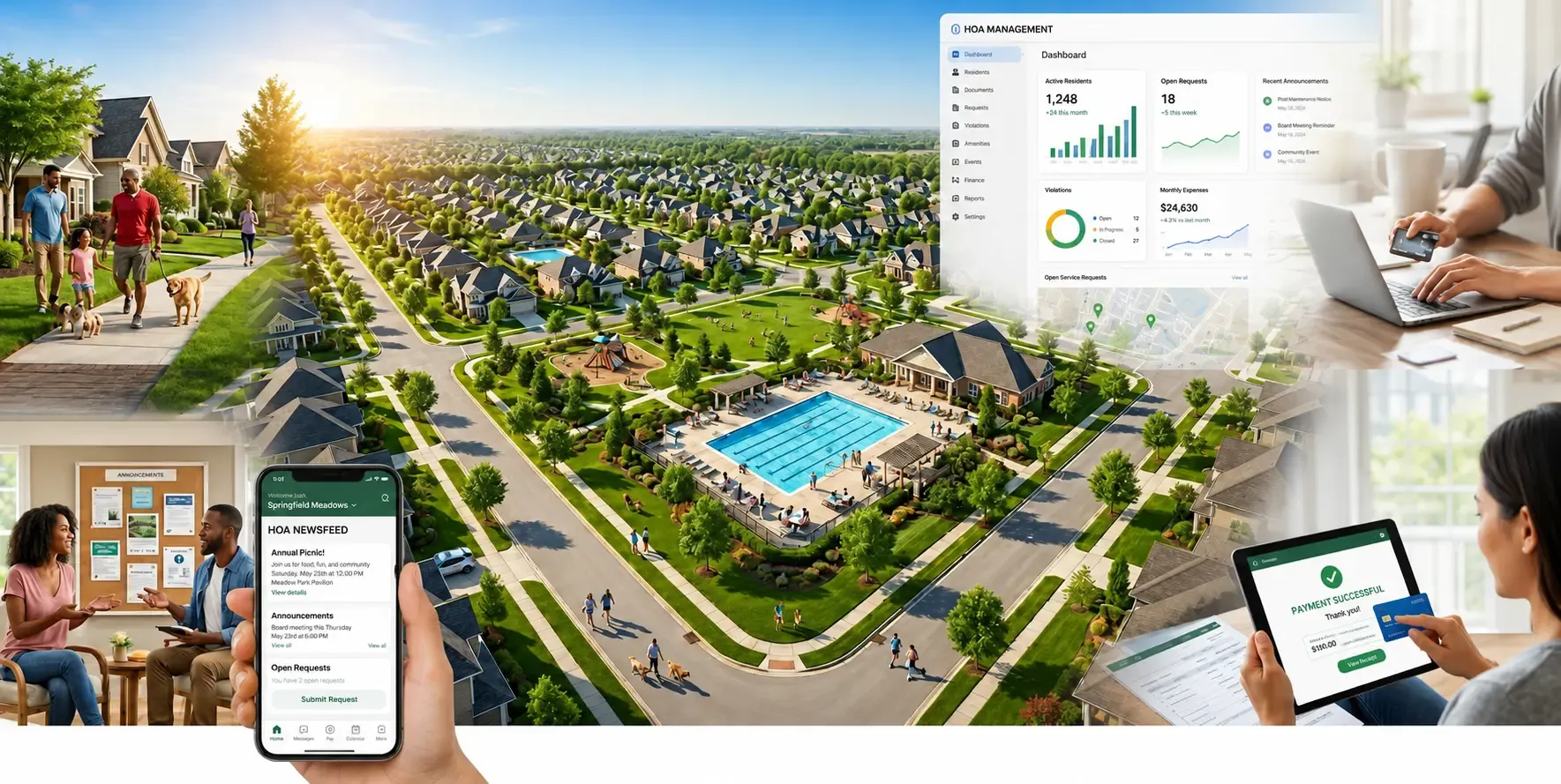
HOAfy is building a mobile app for iOS and Android around that approach. Homeowners will be able to manage personal community tasks, while authorized board members, committee members, and property managers will be able to manage association work from the same app.
Watch the mobile app in the demo
What Is an HOA Management App?
An HOA management app is mobile software for running a homeowners association and serving its residents. It connects association records, communication, payments, requests, documents, and other community workflows in one place that is designed for a phone or tablet.
People may also search for this type of product as an HOA mobile app, HOA board app, homeowners association app, or community association management app. The labels vary, but the useful test is the same: can the app complete real HOA work without sending users back to email, spreadsheets, paper files, or a desktop computer?
There are usually two sides to the experience:
- Homeowner self-service: pay assessments, view balances, submit maintenance or architectural requests, upload photos, review violations, read messages, find documents, vote, and check events.
- HOA board and manager tools: review requests, manage association finances, communicate with residents, track violations and work orders, approve actions, and monitor what needs attention.
A complete mobile HOA solution should connect both sides. A request submitted by a homeowner, for example, should reach the authorized reviewer with its photos, status, history, and follow-up actions intact.
HOA Tasks You Should Be Able to Manage From Your Phone
1. Check Dues and Make HOA Payments
Homeowners should be able to see what is due, select charges, choose a payment method, review processing fees, and confirm the total before paying. The app should verify the result with the payment system instead of treating a closed checkout screen as proof that the payment succeeded.
For board members and managers, mobile access can make it easier to review receivables or confirm a payment status. Sensitive accounting actions should still require the correct permission and a clear review step.
2. Submit and Track Resident Requests
A useful homeowners association app lets residents take a photo, attach a file, enter details, and submit a maintenance or architectural request from the place where the issue is visible. Draft saving and recoverable errors matter because mobile connections are not always reliable.
The resident should be able to return later and see whether the request is received, under review, waiting for information, approved, denied, or completed.
3. Document and Follow HOA Violations
Authorized users may need to record an inspection, attach photos, review the governing rule, and track notice or cure dates while on site. Homeowners should be able to see the information that applies to their property and respond through the same secure record.
Mobile convenience should not weaken the audit trail. Dates, evidence, notices, decisions, and user actions still need to be retained consistently.
4. Send and Read Community Updates
An HOA app can put announcements, association messages, event reminders, and urgent updates in one predictable inbox. Communication should remain associated with the community rather than a volunteer's personal phone number or email account.
Notifications should lead to the relevant record and respect the user's association membership. A deep link should never reveal a request, financial record, or conversation before access is checked.
5. Find HOA Documents and Events
Residents often reach for a phone when they need a rule, form, meeting date, ballot, contact, or amenity detail. A mobile app should make these resources searchable and easy to scan without exposing board-only or property-specific documents to everyone.
6. Review Board and Management Work
Board members and community managers should be able to see approvals, requests, work orders, messages, deadlines, and other items that need attention. An HOA board app is most useful when it prioritizes the next decision instead of reproducing every desktop report on a smaller screen.
High-impact actions, such as recording payments, publishing a vote, closing an accounting period, changing a role, or sending a community-wide campaign, should keep a confirmation or review step.
A Realistic Test for Any HOA Mobile App
Picture this: it is 7:18 p.m. at a middle-school concert. The lights dim in twelve minutes.
Jordan remembers that the HOA assessment is due. A photo of a leaning street sign is still sitting in the camera roll. The board secretary has also asked whether the pool repair request received its second estimate.
This is not the moment for a laptop, seven browser tabs, or a tiny desktop table that requires precision pinching.
It is the moment for three short, clear actions:
- See the amount due and start payment.
- Attach the street-sign photo to a request.
- Open the repair record and check its latest status.
Then the phone goes away before the first song begins. That is the standard we are using for the HOAfy mobile experience: useful in the small windows where community work actually happens.
Note: Jordan and the concert scenario are fictional composites created to illustrate common HOA tasks. They are not customer testimonials.
When comparing HOA apps, test similarly short, complete workflows. If checking a balance, attaching a photo, or reviewing a request requires a desktop browser, a separate login, and several disconnected tools, the mobile experience is not solving the underlying problem.
What to Look For in an HOA Management App
Role-Based Access
Homeowners, board members, committee members, accountants, and property managers should not all see the same information or actions. Look for individual accounts, association-specific roles, and permissions that can be removed promptly after a board or staff change.
One Account for Personal and Board Work
A board member is often a homeowner too. Asking that person to switch the whole app between “Board mode” and “Owner mode” sounds tidy, but it creates a new question before every task: which version of me am I right now?
A better approach keeps personal property tasks clear while showing authorized management tools where they are needed. HOAfy's planned app is designed around three rules:
- The community stays visible. The selected association appears at the top, and people who serve multiple communities can switch deliberately.
- Personal work stays personal. Payments, household records, requests, and violations remain connected to “My home.”
- Association work says Manage. Board and manager tools appear only when the signed-in person has the required capability.
A treasurer who also owns a unit can review association billing and still pay a personal assessment without impersonating anyone or hunting for a hidden role switch.
Connected HOA Records
The mobile app should use the same current owner, unit, financial, request, violation, document, and work-order records as the main HOA software. Avoid products that require the board to copy information between the app, a separate accounting package, and spreadsheets.
Clear Navigation
HOAfy's planned mobile app uses five stable destinations:
| Destination | What it helps you do |
|---|---|
| Home | See what needs attention now, from an amount due to an approaching vote deadline. |
| Messages | Join association-scoped community group conversations. |
| Requests or Manage | Submit personal requests, or open authorized association tools. |
| Community | Find documents, events, voting, directory information, and community resources. |
| Account | Manage your profile, preferences, security, and personal activity. |
The center destination adapts. A homeowner sees Requests. A person with association-management permissions sees Manage, while personal requests remain available from Home and Account.
That keeps the navigation calm even as HOAfy grows. Billing, documents, voting, calendar, vendors, and every future feature do not fight for a permanent spot at the bottom of the screen.
Reliable Mobile States and Accessibility
The useful parts of mobile design are often the parts nobody announces:
- Each main destination keeps its place, so checking a message does not erase the list you were reviewing.
- Phones use bottom navigation; wider screens can use a navigation rail and split views.
- Touch targets are generous, text can scale, and important information is not communicated by color alone.
- Loading, offline, empty, filtered-empty, and error states are different states, not five ways to display nothing.
- Deep links check community membership before revealing a record.
- Switching communities refreshes permissions, cached records, notifications, and message subscriptions together.
That is not glamour work. It is the difference between an app people tolerate and one they trust during a busy week.
Security and Privacy
An HOA app can contain addresses, balances, payment details, violation records, private attachments, and board discussions. Evaluate secure sign-in, encrypted connections, session handling, role-based authorization, audit history, and what happens when a device is lost or a user's role ends.
Ask whether the app checks authorization on the server for every sensitive action. Hiding a button on a phone is not a security control.
Native HOA App vs. Mobile-Friendly HOA Website
A responsive HOA website can work well for occasional tasks and does not require an installation. A native iPhone or Android app can offer more convenient sign-in, camera and file access, notifications, deep links, and navigation designed specifically for touch.
Many associations benefit from both:
- Use the mobile app for quick payments, photos, requests, messages, approvals, and on-site work.
- Use the web application for long accounting sessions, data imports, complex reports, bulk updates, and work that benefits from a larger screen.
The two experiences should connect to the same records. The board should not have to choose between up-to-date information on the web and up-to-date information in the app.
How to Compare HOA Apps Before Choosing One
Ask each HOA software provider to demonstrate the same tasks from a real phone:
- Sign in and switch between two associations without mixing their records.
- Show what a homeowner can see compared with a board member or manager.
- Review a balance and complete a payment with a visible confirmation step.
- Submit a request with a photo, then review and update it as an authorized user.
- Find a governing document and an upcoming community event.
- Open a notification and verify that it leads to the correct protected record.
- Lose connectivity during a form and show what happens to the entered information.
- Remove a board member's access and confirm that association history remains available.
Also confirm whether the advertised product is a native mobile app, a responsive website, or a simplified companion app. Ask which desktop features are unavailable on mobile and whether iOS and Android receive the same core workflows.
For a broader platform evaluation, use our 10-point HOA software checklist and compare HOA software platform types.
Who Benefits From Mobile HOA Software?
Self-Managed HOA Boards
Volunteer board members often handle community work outside normal business hours and away from an office. A mobile HOA board app can reduce delays by putting approvals, records, messages, and next steps in one account. It can also make board handover easier by keeping work with the association instead of on personal devices.
Community Association Managers
Managers serving several communities need deliberate association switching and clear separation of records. Mobile access is especially useful for property walks, request follow-up, vendor work, resident communication, and urgent approvals.
Homeowners and Residents
Residents benefit when routine HOA tasks do not require a phone call or knowledge of which volunteer holds a document. Self-service can provide faster answers while reducing repetitive administrative work for the board.
The HOAfy Mobile App Is Coming to iOS and Android
HOAfy's Flutter application already has core building blocks under active development: secure sign-in and session handling, association selection, a capability-aware five-destination shell, responsive phone and tablet navigation, API integration, themes, localization, and early homeowner and management workflows.
The roadmap then expands through community messaging and homeowner essentials, community resources and management tools, financial and governance workflows, and parity hardening across devices.
HOAfy is designed as connected HOA management software, not a standalone phone app with a separate copy of community data. The goal is to make the right community action easy to find, safe to complete, and quick to leave behind.
Frequently Asked Questions About HOA Management Apps
What is the best app for managing an HOA?
The best HOA management app is the one that fits the association's operating model, connects to its current records, and lets each user complete the right tasks with appropriate permissions. Compare complete payment, request, communication, document, violation, and approval workflows instead of choosing by feature count alone.
Can a self-managed HOA use a mobile app?
Yes. Mobile HOA software can be especially useful for self-managed communities because volunteer board members often work from different places and at different times. Look for simple workflows, understandable permissions, retained association history, and full access to the same data used by the web application.
What should an HOA mobile app include?
For homeowners, useful features include balances, payments, requests, violations, documents, messages, voting, events, and profile settings. Board members and managers may also need role-based access to approvals, finances, work orders, communications, resident records, and governance tasks.
Is an HOA app the same as property management software?
Not always. HOA software is organized around associations, units, owners, assessments, boards, governing documents, violations, architectural requests, and community operations. General property management software may be designed primarily for landlords, leases, tenants, and rent. Associations should verify that the app supports HOA-specific records and workflows.
Will the HOAfy mobile app be available on iPhone and Android?
Yes. HOAfy is building one shared application for iOS and Android, with controls that adapt where each platform expects different behavior.
Is it only for homeowners?
No. Homeowners and residents get self-service tools, while board members, committee members, and property managers get permission-filtered association tools in the same app.
Will every feature launch at once?
The app is planned in phases. We would rather make important workflows dependable than squeeze every possible screen into the first release.
Will the website still exist?
Yes. Mobile is designed for fast, focused work wherever people happen to be. The web experience remains valuable, especially for long sessions and high-volume work.
Manage HOA Work Without Waiting for a Laptop
The best HOA task is the one that takes less time than remembering to do it. Check the balance. Send the photo. Read the update. Approve the next step. Get back to the concert.
The HOAfy mobile app is coming soon to iOS and Android. While it takes shape, explore the HOAfy feature set, review options for a self-managed association, or see HOAfy pricing.